
Release 13 “Adrastea” is out. With it, we are giving you a lot more flexibility to define your environment. You can now choose which architecture your hosts run, who provisions your nodes, who assigns your addresses, and which language you automate it all from.
ARM64 support and multi-platform builds
EnterpriseThe platform now runs on ARM64 hosts, across all supported Debian and Ubuntu releases. Everything behaves exactly as it does on x86-64, including the microVMs, the API and all tooling. Nothing changes for existing x86-64 deployments. You can place the same platform on ARM64 hosts to cut cost per instance, or to serve ARM64 workloads natively instead of emulating them.
The tooling is multi-platform to match: x86_64 and arm64 are equal citizens, with a single build covering both architectures.
Kernel-less images
EnterpriseAn image no longer has to bring its own kernel, it can boot with the kernel installed on the node. Also, A kernel security update doesn’t require rebuilding every image anymore, since patching the node covers every instance on it. Images also get considerably smaller and faster to build, push and pull.
Before
image
Every image carries a kernel. A kernel patch means rebuilding them all.
After
image
node
The kernel lives on the node. Patch once, every instance is covered.
A Karpenter provider for Unikraft
EnterpriseFor Kubernetes-based customers, our Kubernetes integraion let a cluster schedule pods onto Unikraft, but the cluster still had to have the nodes to schedule them onto. The new Karpenter provider closes that loop! When a pod cannot be scheduled, a node is provisioned and joined to the cluster automatically, then removed again when the capacity is no longer needed.
For you this means Unikraft capacity is now elastic from inside Kubernetes, driven by the autoscaler you already run. New nodes arrive ready to work, with images pre-pulled and health verified before they take pods, and ARM and x86 nodes come from the same configuration. You pay for capacity when your workloads need it and hand it back when they do not.
Kubernetes
Pod pending
no node fits
Karpenter
Node provisioned
images pre-pulled
Kubernetes
Pod running
node joined, health verified
Karpenter
Node removed
load gone, capacity returned
Kubernetes
Pod pending
no node fits
Karpenter
Node provisioned
images pre-pulled
Kubernetes
Pod running
node joined, health verified
Karpenter
Node removed
load gone, capacity returned
The JavaScript SDK
Unikraft Cloud now has an official JavaScript/TypeScript SDK(@unikraft/cloud on npm). Everything you can do from the dashboard or the API, you can now do with TypeScript. Create new instances, attach volumes, manage services and certificates, stream logs, etc.
npm install @unikraft/cloudSay you are building an AI agent product that spins up a sandbox per user session. With the SDK, your Node backend creates a microVM the moment a session starts, suspends it when the user goes idle, and wakes it in milliseconds when they return. The same goes for preview environments per pull request, per-tenant workloads, or scheduled batch jobs. If it runs on Unikraft Cloud, your JavaScript code can now orchestrate it directly.
CNI, custom MACs, address-less interfaces
EnterpriseNetwork interfaces became considerably more flexible. A custom interface can now carry a caller-chosen MAC address. This means guests whose licensing, clustering or peer identity is tied to a MAC keep that identity when the instance is recreated. Interfaces can also be created without an IP address, for customers who manage addressing entirely on their own.
Custom networks can now also be considerably larger than before. So put simply, if you already have an IPAM system, a network fabric, or appliances with fixed identities, the platform now fits adapts to that.
R13 also adds CNI support. Your CNI plugin or IPAM system decides the addressing, and the guest configures itself to match, live and without any restarts.
A big dashboard upgrade: ROMs, checkpoints and more
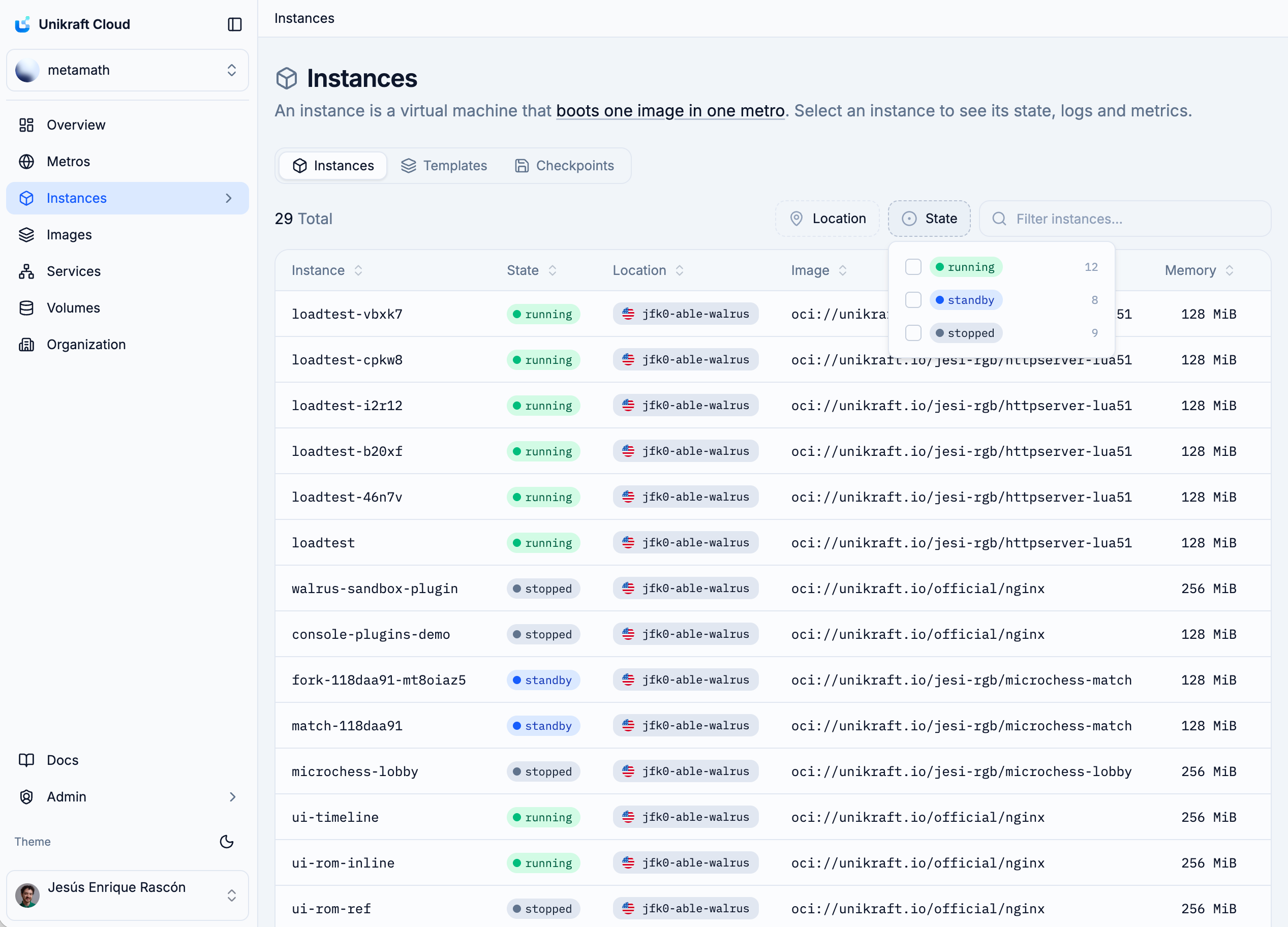
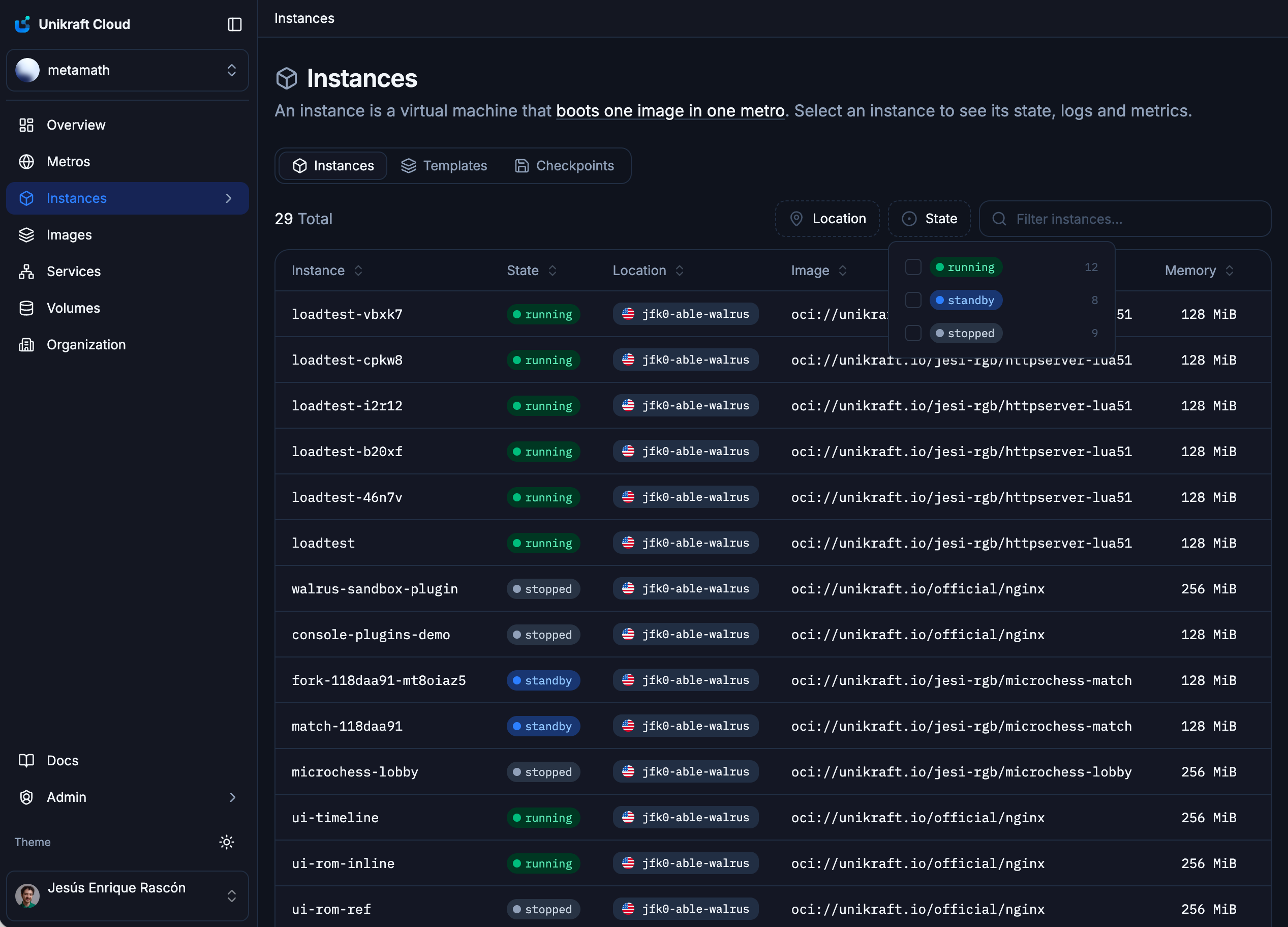
The dashboard gained its largest set of new capabilities yet. Every resource list now searches, sorts, filters and pages the same way. List states now live in the URL, so a filtered view can be bookmarked or sent to a colleague.
The dashboard also shows the objects that branching and checkpointing produce: instances gained templates and checkpoints views, each with a detail page. An instance’s ROMs appear under its mounts tab.
On top of that, we always ship improved visuals, easier use, and quality-of-life tweaks.
Everything else in Adrastea
| Scheduled checkpoints | An instance can checkpoint itself on a schedule, so a long-lived instance gets a rolling set of restore points with no external job to run and monitor. | Enterprise |
| Nested virtualization | An instance can be given access to the host's virtualization extensions, so a hypervisor can run inside the guest. Software that ships its own VMs no longer needs bare metal. | Enterprise |
| User information API | The API now reports what a user is and what it may do, so a UI can hide features a token cannot use and automation can fail early with a clear reason. | Enterprise |
| Autoscale pressure signal | Give an autoscale group a high watermark and the proxy reports when it is crossed on the response path, so clients can steer new work elsewhere before a group is full. | Enterprise |
| The Plugin SDK (Go) | Plugins extend a microVM's API with a sidecar the platform loads and authenticates for you. The new Go SDK handles the startup contract, so a complete plugin is about 20 lines; sandboxes ship as a ready-made plugin for Enterprise customers. | |
| Configurable plugin authorization | A plugin can carry its own bearer token, so sidecars and third-party callers get in without minting platform users. | Enterprise |
| Instance annotation events | A vm.annotate event fires whenever an instance's annotations change, so external systems stay in sync without polling. | Enterprise |
| GPUs in the CLI | Release 12 brought NVIDIA GPUs to the platform; the CLI can now request one at instance creation and shows a GPU's model in listings, where it filters and sorts like every other field. | Enterprise |
| Branching & checkpointing in the CLI | Instances are created from an image, template, branch or checkpoint; checkpoints and templates get their own command groups, including lineage history. | |
| Instance tunneling | The CLI forwards a local port to an unexposed port on an instance over TLS. The safe option is now the convenient one. | |
| Better filter comparisons | Listings filter by comparison as well as equality across sizes, memory, quotas and timestamps, including relative times like "created in the last week". | |
| Volume usage bars | Volume listings now show how full a volume is, colored by how close it is to full, and usage sorts and filters like a real field. | |
| Easier ad-hoc API calls | The CLI's API escape hatch accepts a shorthand for nested JSON, so ad-hoc calls are something you can type correctly the first time. |
A sneak preview of what’s next
A taste of what Release 14 has in store:
Sandboxes in the CLI & Dashboard
Create and drive sandboxes straight from the command line or the dashboard.
Interactive shell
Open a shell into a running instance and poke around live.
Extended vGPU support with GPU snapshots
More vGPU options, and GPU state that snapshots and restores with the instance.
vScaling for memory and vCPUs
Scale an instance's memory and vCPUs vertically, to match its workload.
…and several others we are not listing, because we do not want to spoil all of the fun :)